# Resource Tiers
Source: https://docs.quake.ai/docs/account/resource-tiers
Markdown: https://docs.quake.ai/docs/account/resource-tiers.md
---
# Resource tiers
Resource tiers are billing packs that set how much compute, memory, and block storage a project subscription includes.
- You select a tier when you create a project (Compute tile in the portal wizard).
- Tiers bill monthly.
- You can upgrade, downgrade, or pause a tier later.
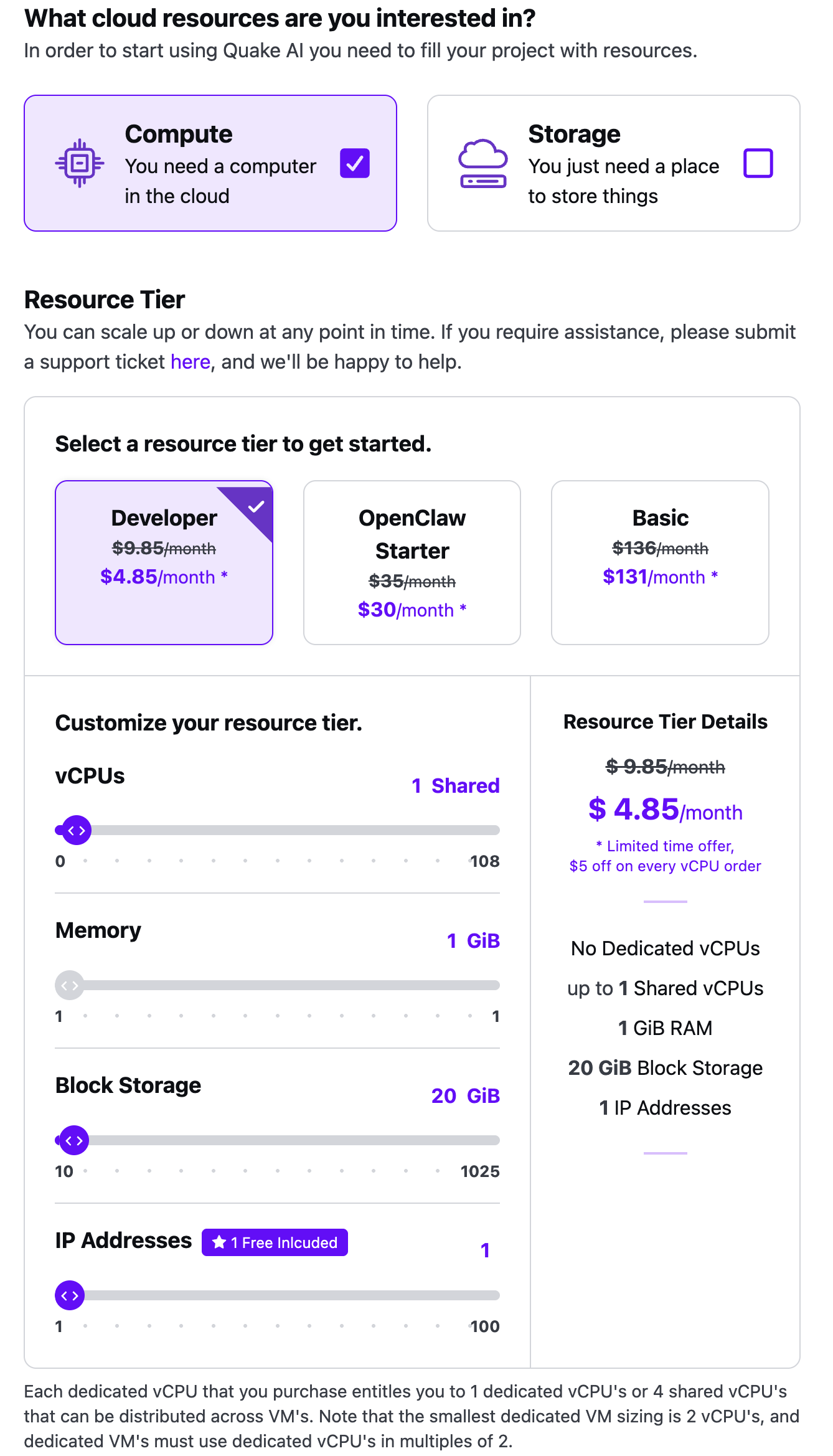
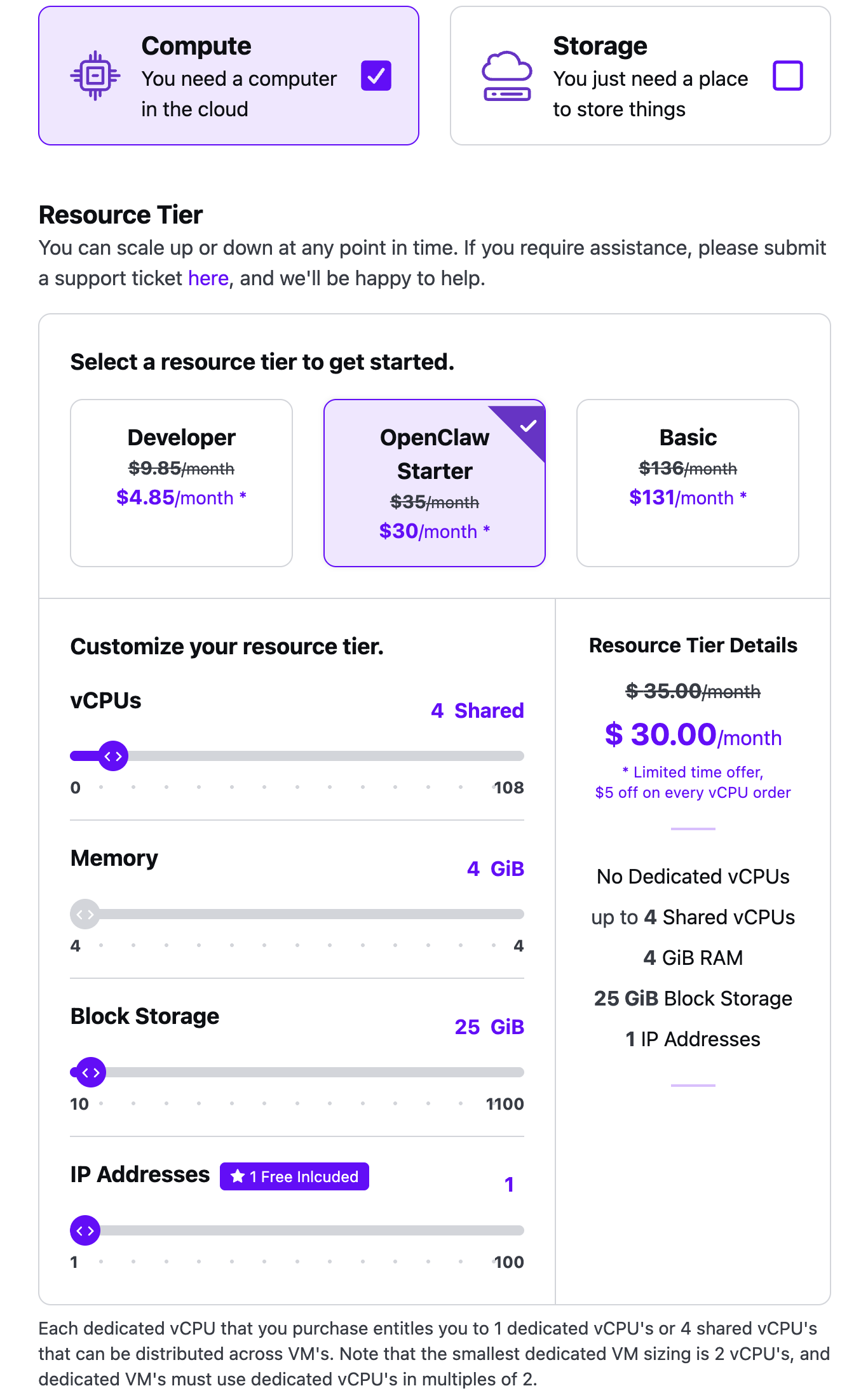
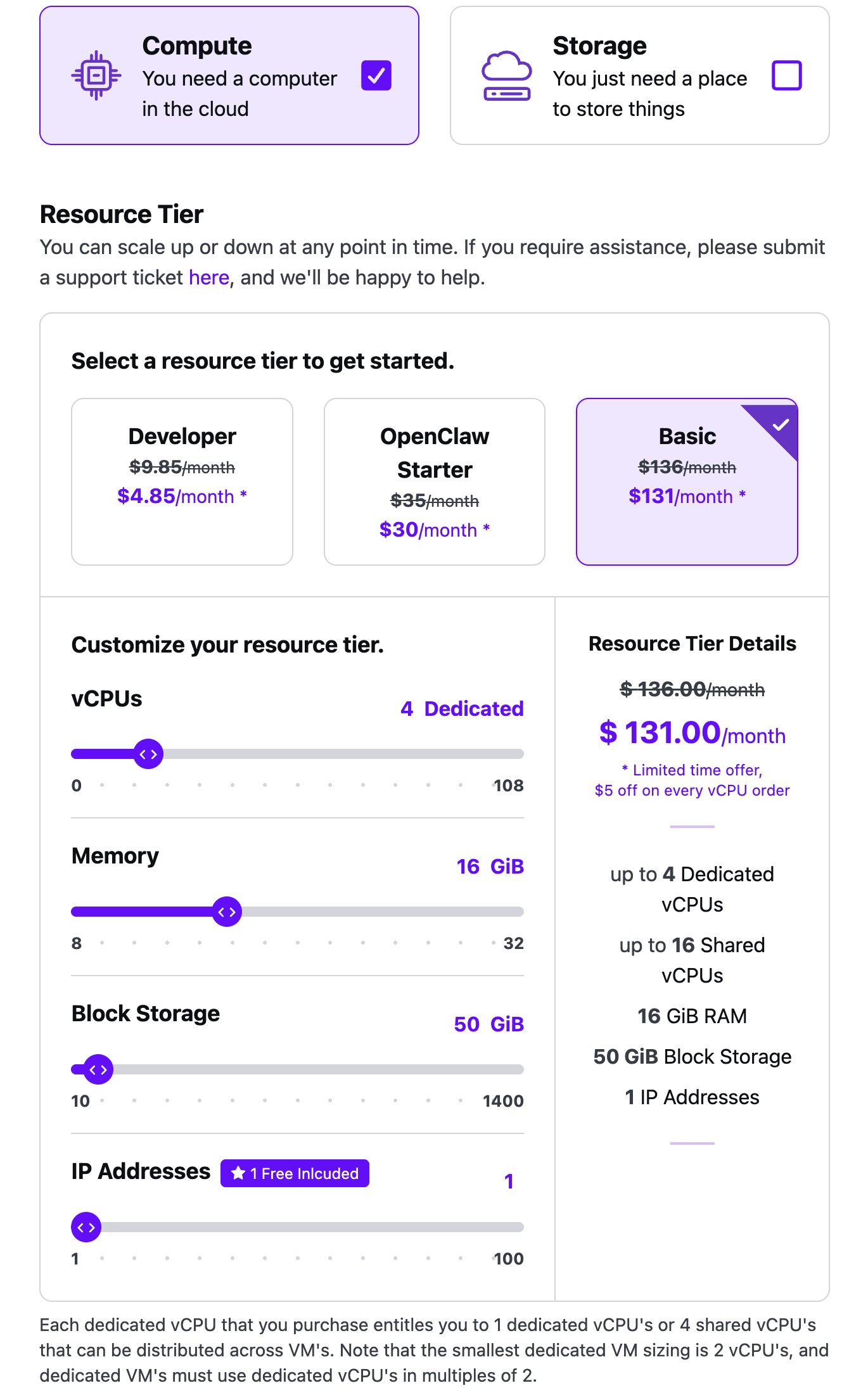
| Resource tier | vCPUs | RAM | Block storage | Public IP |
|------|------|------|------|------|
| Developer | 1 shared | 1 GiB | 20 GiB | 1 included |
| OpenClaw Starter | 4 shared | 4 GiB | 25 GiB | 1 included |
| Basic | 4 dedicated | 16 GiB | 50 GiB | 1 included |
Object storage is an add-on you set with the Storage tile or later on the project. Extra public IPs beyond the included address are also add-ons.
All tiers include:
- AMD EPYC processors (shared or dedicated, depending on the pack)
- NVMe block storage
- Subnets, routers, and security groups
- Outbound data transfer
- About 0.5 Gbps outbound per 2 vCPUs
Current prices and the custom-package calculator live on the [pricing reference](/docs/account/billing/pricing) and the [Quake AI pricing page](https://www.quake.ai/pricing/) slider.
## Dedicated and shared vCPUs
Every resource tier runs on AMD EPYC processors. You choose dedicated or shared vCPUs based on how much guaranteed performance you need.
**Dedicated vCPUs** give you exclusive access to those vCPUs. Quake AI sells dedicated vCPUs in units of two, so the smallest dedicated VM is 2 vCPUs. Each dedicated vCPU you purchase can be used as 1 dedicated vCPU or as 4 shared vCPUs across VMs.
**Shared vCPUs** cost less and suit development, prototyping, and smaller projects. Developer and OpenClaw Starter start on shared vCPUs. Basic starts on dedicated vCPUs and can also host shared vCPUs (up to 16 shared on the default Basic pack).
After you choose your tier and launch the project, you launch dedicated or shared instances from the Console.
## Customizable tiers
You can add and remove vCPUs, memory, block storage, object storage, and additional public IPv4 addresses on a project, within the slider ranges the portal shows for that pack.
## Developer plan details
The Developer plan is the entry-level tier for trying the platform, prototyping, and lightweight workloads.
| Resource | Included |
| --- | --- |
| vCPUs | 1 shared |
| RAM | 1 GiB |
| Block storage | 20 GiB NVMe |
| Object storage | Add-on |
| Network | Up to 0.5 Gbps |
| Public IP | 1 |
For current prices, the full plan comparison, and the pricing calculator, see the [pricing reference](/docs/account/billing/pricing).
### When to upgrade from Developer
Move to **OpenClaw Starter** when you need more shared vCPUs and RAM (4 shared vCPUs, 4 GiB) on the same shared-CPU model.
Move to **Basic** when you need dedicated vCPUs, 16 GiB RAM, and 50 GiB included block storage.
For a custom mix, use the [pricing calculator](https://www.quake.ai/pricing/) slider.
Moving an existing VM to a dedicated-vCPU flavor does not require you to rebuild it: see [How to resize a Quake AI VM to a dedicated-CPU plan](/docs/compute/how-to/resize-to-dedicated-plan).
### Tutorials sized for Developer Plan
Tutorials in the [Quickstart](/docs/quickstart) include Developer Plan callouts that note swap requirements, memory limits, and alternative paths if you outgrow the tier. Look for the "Developer Plan" callout in:
- [Host a static website on Quake AI](/docs/quickstart/host-static-website)
- [Deploy a containerized web application](/docs/quickstart/deploy-containerized-app)
- [Automate your infrastructure with OpenTofu](/docs/quickstart/automate-infrastructure-opentofu)
- [Deploy an API service](/docs/quickstart/deploy-api-service)
- [Deploy a database sandbox](/docs/quickstart/deploy-db-sandbox)