How to create an object storage bucket
Coming from another cloud?
▸AWS·Amazon S3
This Quake AI feature maps to AWS’s Amazon S3.
▸Azure·Blob Storage
This Quake AI feature maps to Azure’s Blob Storage.
▸DigitalOcean·Space (bucket)
Space (bucket)
- Naming differs: users create a “Space” that is a bucket, and each bucket has a unique URL (virtual-hosted or path style), whereas Swift uses containers within an account namespace. ().
- Bucket addressing uses S3-style endpoints such as `${BUCKET}.${REGION}.digitaloceanspaces.com` (and `${REGION}.digitaloceanspaces.com/${BUCKET}`), which differs from Swift’s account/container/object path conventions. (, ).
- Access keys can be scoped to high-level permission tiers (Read, Read/Write/Delete, All) applied across buckets/objects, which differs from Swift’s typical tenant/user + container ACL model. ().
▸Google Cloud·Storage
This Quake AI feature maps to Google Cloud’s Storage.
▸Hetzner·Buckets
Buckets
- S3 API (PUT Bucket requires specific headers like x-amz-acl limited to private/public-read, LocationConstraint); Swift uses POST/PUT Container with broader ACLs via X-Container-Read/Write.
- Public access via https://bucket.location.your-objectstorage.com/object; Swift public via temp URLs or ACLs.
- Up to 100 buckets per account; Swift has no hard limit.
How to create an object storage bucket
Create an object storage bucket (also called a container) to store files, backups, and other unstructured data. Bucket names must be unique within your project and cannot be changed after creation.
Prerequisites
- ConsoleLogged in to the Quake AI console
- CLIOpenStack CLI installed and authenticated (
clouds.yamloropenrcsourced) - APIAPI token generated with
$OS_TOKENand service endpoint variables set - TerraformOpenTofu installed with Quake AI provider configured
Windows: CLI examples use bash. Set up a Linux CLI environment on Windows before proceeding.
Create the bucket#
Verify the result#
About the bucket detail view#
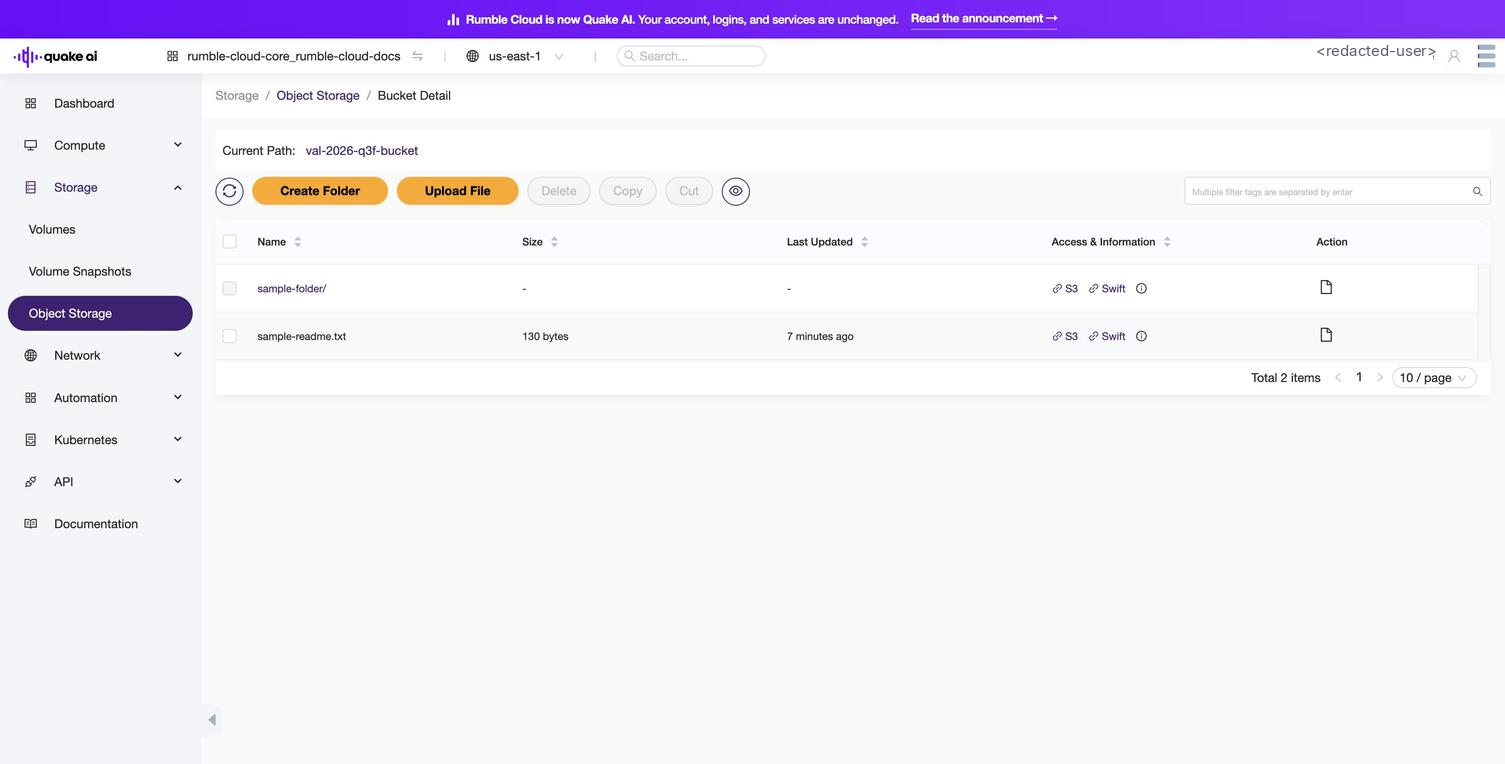
Selecting a bucket from the list opens a flat file and object browser. No Settings, Access, CORS, or Lifecycle tabs appear in the detail view: bucket-level controls (visibility, deletion) live on the list-row gear icon under File Operations in Storage > Object Storage.
 Click to zoom
Next steps#
After creating the bucket, you can:
See also#
Usage Guidelines
The sample code, software libraries, command line tools, proofs of concept, templates, and other related technology on this page (including any of the foregoing that is provided by Quake AI personnel) is provided to you as Quake AI Content under the Quake AI Customer Agreement, or the relevant written agreement between you and Quake AI (whichever applies). Do not use this Quake AI Content in your production accounts, or on production or other critical data. You are responsible for testing, securing, and optimizing the Quake AI Content (such as sample code) as appropriate for production grade use based on your specific quality control practices and standards. Deploying Quake AI Content may incur Quake AI charges for creating or using Quake AI chargeable resources, such as running Compute instances or storing data in Object Storage. Your use is also subject to the Acceptable Use Policy.
For the full policy, see Usage Guidelines.
Last validated: 10.07.2026
Quick answers
See Also
How to access an uploaded file in object storage
Shares: Storage, Containers
How to create a folder in an object storage bucket
Shares: Storage, Containers
How to upload a file to an object storage bucket
Shares: Storage, Containers
Object Storage Service API Reference
Shares: Storage, Containers
Object storage CLI reference
Shares: Storage, Containers