How to get an API token
Coming from another cloud?
▸DigitalOcean·API
DigitalOcean API
- Uses REST API over HTTPS with Bearer token authentication via personal access tokens, not OpenStack's Keystone token-based auth.
- Base URL https://api.digitalocean.com/v2, incompatible with OpenStack APIs like Nova/Neutron.
- Scoped permissions tied to granular API scopes based on team roles, unlike OpenStack role/project assignments.
- Rate limits: 5000/hour, 250/minute.
▸Hetzner·Cloud API
Cloud API
- Proprietary REST API over HTTPS with Bearer token auth, not OpenStack Identity API (keystone) endpoints or mechanisms.
- Base URL https://api.hetzner.cloud/v1/ with resource-specific endpoints (e.g., /servers) vs OpenStack service endpoints (nova, cinder).
- No multi-project handling in single auth; separate per-project tokens vs keystone scopes/projects.
- Missing identity/catalog endpoints; no service discovery via API.
How to get an API token
Generate a project-scoped API token from the Quake AI console to authenticate direct HTTP requests against OpenStack service endpoints. Tokens are issued by the Identity service (Keystone), scoped to your current project, and valid for 24 hours.
Use tokens when you need quick, ad-hoc API access, for example testing an endpoint with curl or debugging a workflow. For long-lived programmatic access, use application credentials instead.
Prerequisites
- ConsoleLogged in to the Quake AI console
- CLIOpenStack CLI installed and authenticated (
clouds.yamloropenrcsourced)
Windows: CLI examples use bash. Set up a Linux CLI environment on Windows before proceeding.
- A Quake AI project with at least one active service
Get a token from the console#
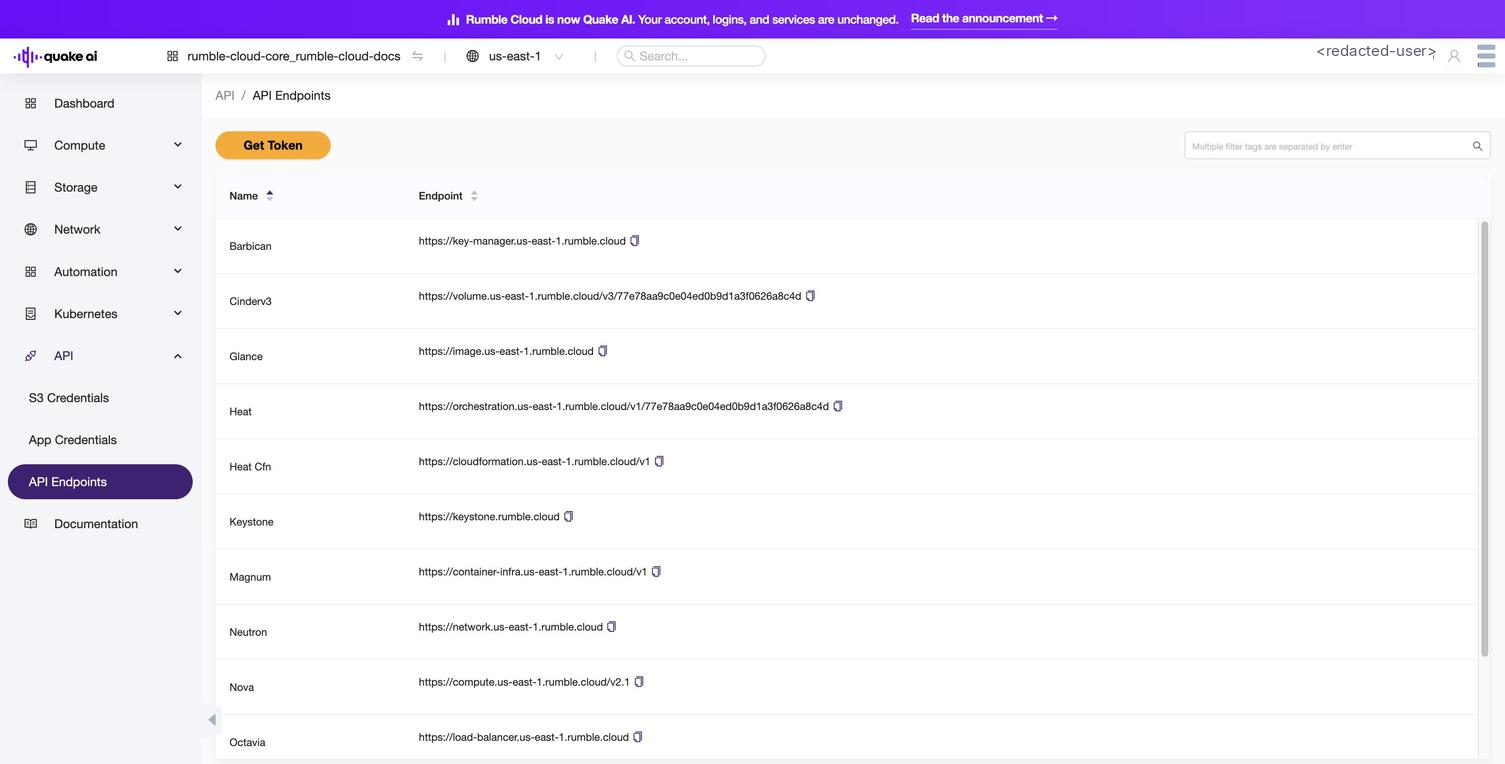
Use the token with curl#
Once you have a token, pass it in the X-Auth-Token header to authenticate API requests. For example, to list compute instances:
curl -s -H "X-Auth-Token: $OS_TOKEN" \
  https://compute.us-east-1.rumble.cloud/v2.1/servers \  # replace region as needed
  | python3 -m json.tool
To check your token details and expiration:
curl -s -H "X-Auth-Token: $OS_TOKEN" \
  https://keystone.rumble.cloud/v3/auth/tokens \
  -H "X-Subject-Token: $OS_TOKEN" \
| python3 -m json.toolToken scope and lifetime#
| Property | Value |
|---|---|
| Issuer | Identity service (Keystone) at https://keystone.rumble.cloud/v3 |
| Scope | Project-scoped: grants access to resources in a single project |
| Lifetime | 24 hours from issuance |
| Format | Fernet token (opaque string) |
Tokens carry the same permissions as your user account within the scoped project. Treat them as credentials: do not log them, commit them to version control, or share them.
See also#
- API access console reference: overview of the API section in the console
- Service Endpoints: all 12 service base URLs
- API Endpoints console: console reference for the endpoints view
- Generate application credentials: long-lived credentials for automation
- API versions and microversions: version negotiation for OpenStack APIs
Usage Guidelines
The sample code, software libraries, command line tools, proofs of concept, templates, and other related technology on this page (including any of the foregoing that is provided by Quake AI personnel) is provided to you as Quake AI Content under the Quake AI Customer Agreement, or the relevant written agreement between you and Quake AI (whichever applies). Do not use this Quake AI Content in your production accounts, or on production or other critical data. You are responsible for testing, securing, and optimizing the Quake AI Content (such as sample code) as appropriate for production grade use based on your specific quality control practices and standards. Deploying Quake AI Content may incur Quake AI charges for creating or using Quake AI chargeable resources, such as running Compute instances or storing data in Object Storage. Your use is also subject to the Acceptable Use Policy.
For the full policy, see Usage Guidelines.
Last validated: 19.06.2026