Azure Managed Disks are fully managed with automatic redundancy (3 replicas, 99.999% SLA); Cinder durability depends on backend.
Predefined disk types (Ultra Disk, Premium SSD v2, Premium SSD, Standard SSD, Standard HDD) with fixed performance tiers; Cinder uses volume types with configurable QoS.
Disks billed on provisioned size regardless of use; Cinder billing typically on provisioned size too but varies by provider.
Uses proprietary /v2/volumes API instead of OpenStack Cinder /v3/{project_id}/volumes; actions like attach/detach/resize via undocumented POST /volumes/{id}/actions rather than /os-volume-attach etc.
Enforces single-instance attachment only (one Droplet at a time); OpenStack supports multi-attach volumes.
Volume names must be globally unique per region; OpenStack uses IDs primarily with optional display names.
Size specified in GiB (binary) with 1 GiB to 16 TiB range; OpenStack typically GiB but flexible.
Supports regional disks replicated synchronously across 2 zones for higher availability (better than 99.9999% durability), while Cinder volumes are typically zonal unless using replication features.
Online resize to increase size without detaching; no manual striping/RAID needed as GCP handles distribution automatically.
Provisioned via Hetzner CSI driver (csi.hetzner.cloud), ReadWriteOnce only, min 10GB, NVMe-based.
Billed €0.044/GB/month until deleted, no pause; attach/detach via CSI, unlike Cinder's broader access modes (RWX via Manila).
Snapshots supported but no volume encryption at rest by default; location-specific (e.g., fsn1).
Proprietary REST API at https://api.hetzner.cloud/v1/volumes using Bearer token auth, not OpenStack Cinder API (v3 JSON over Keystone). Endpoints like POST /volumes/{id}/actions/attach, POST /volumes/{id}/actions/resize (upsize only). No /v3/{project_id}/volumes/{volume_id}/action os-extend.
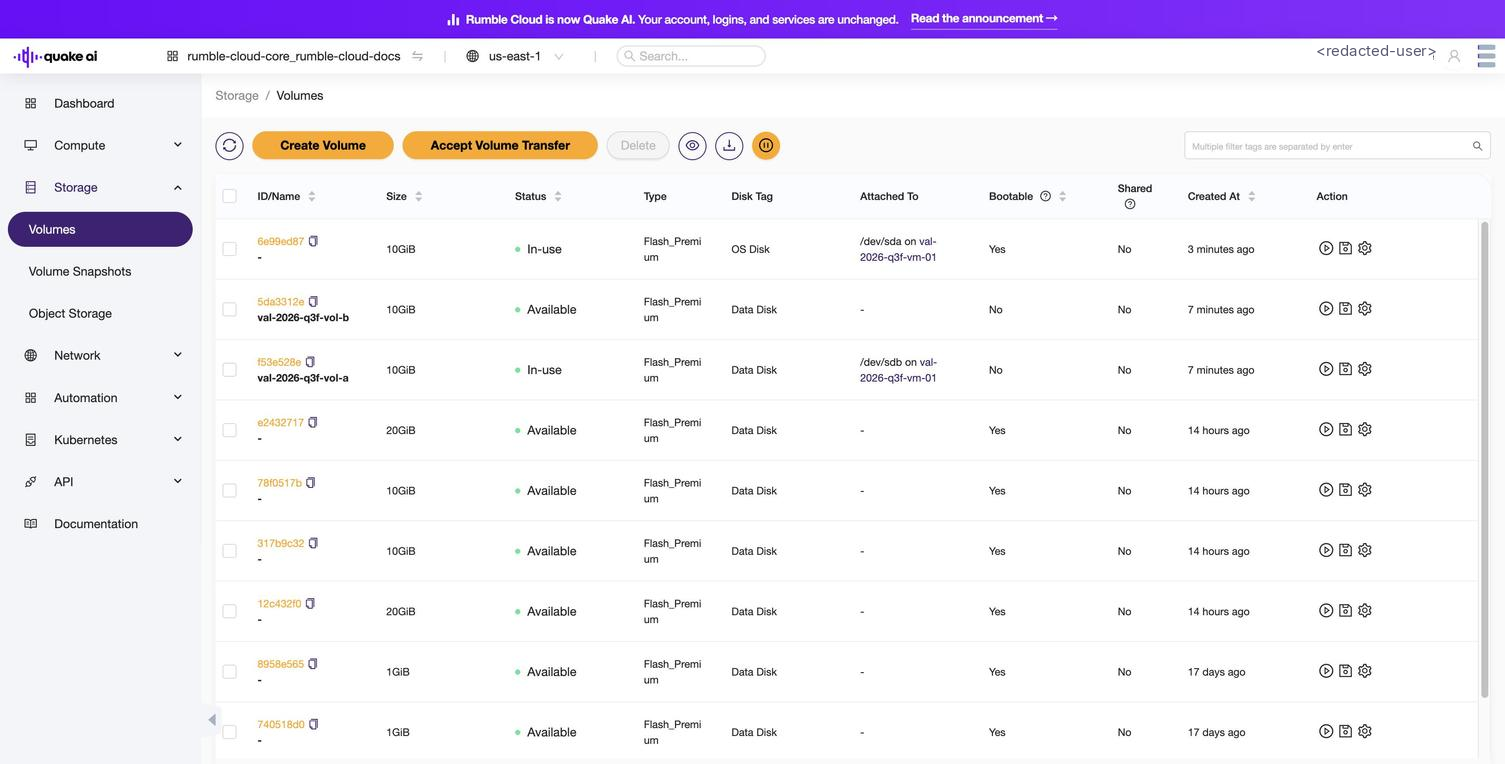
Select Storage Service > Volumes to show the volumes console.
Click to zoom
Volumes list showing available and in-use volumes with size, status, and attachment info
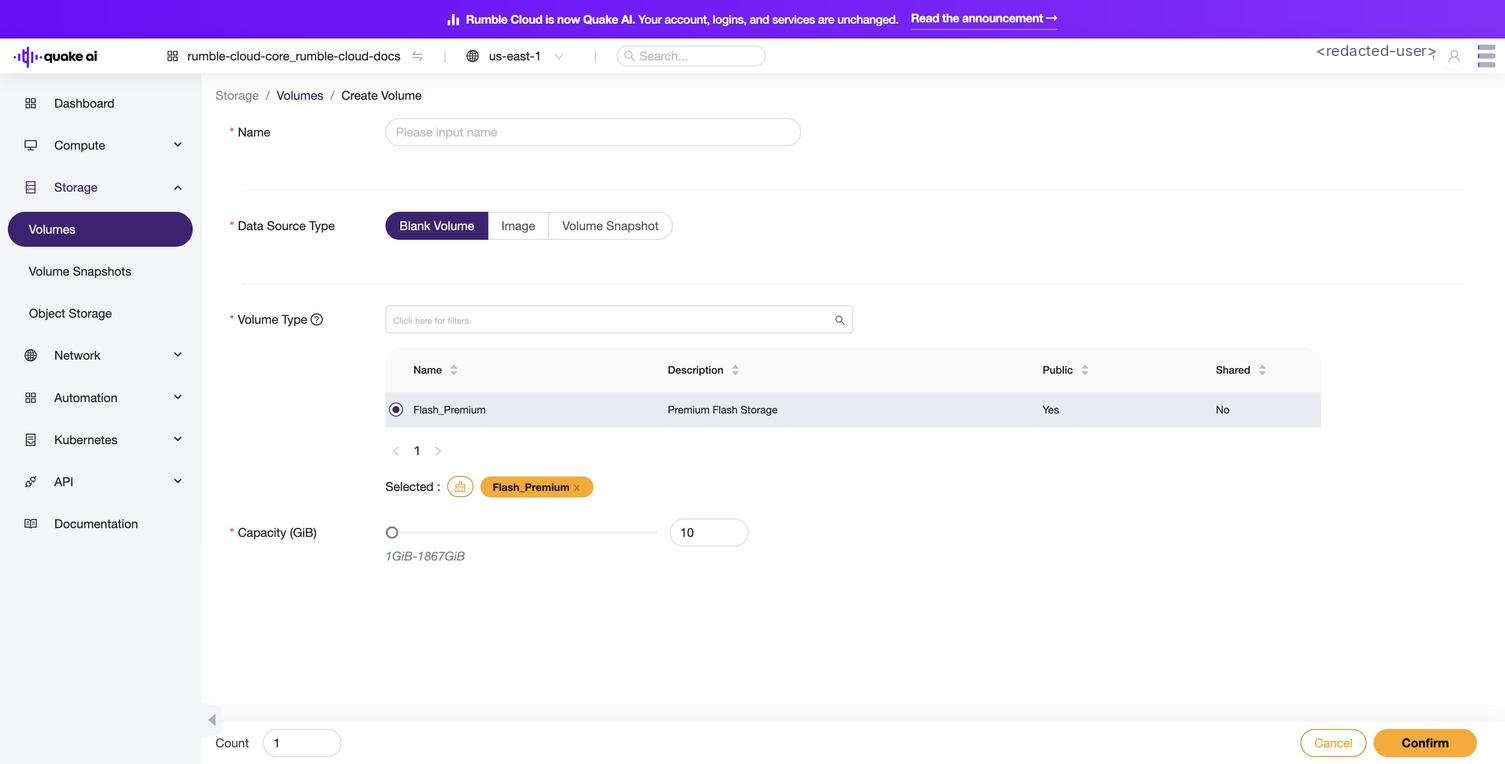
Select Create Volume to open the full-page volume wizard at /storage/volume/create. The wizard has these fields, in order:
Name (required).
Data Source Type (required): Blank Volume, Image, or Volume Snapshot.
Volume Type (required): currently Flash_Premium is the only option.
Capacity (GiB) (required): a slider and numeric input in the range 1-80 GiB, default 10.
Count: how many volumes to create at once.
Click to zoom
Create Volume wizard page with Data Source Type, Volume Type, and Capacity fields
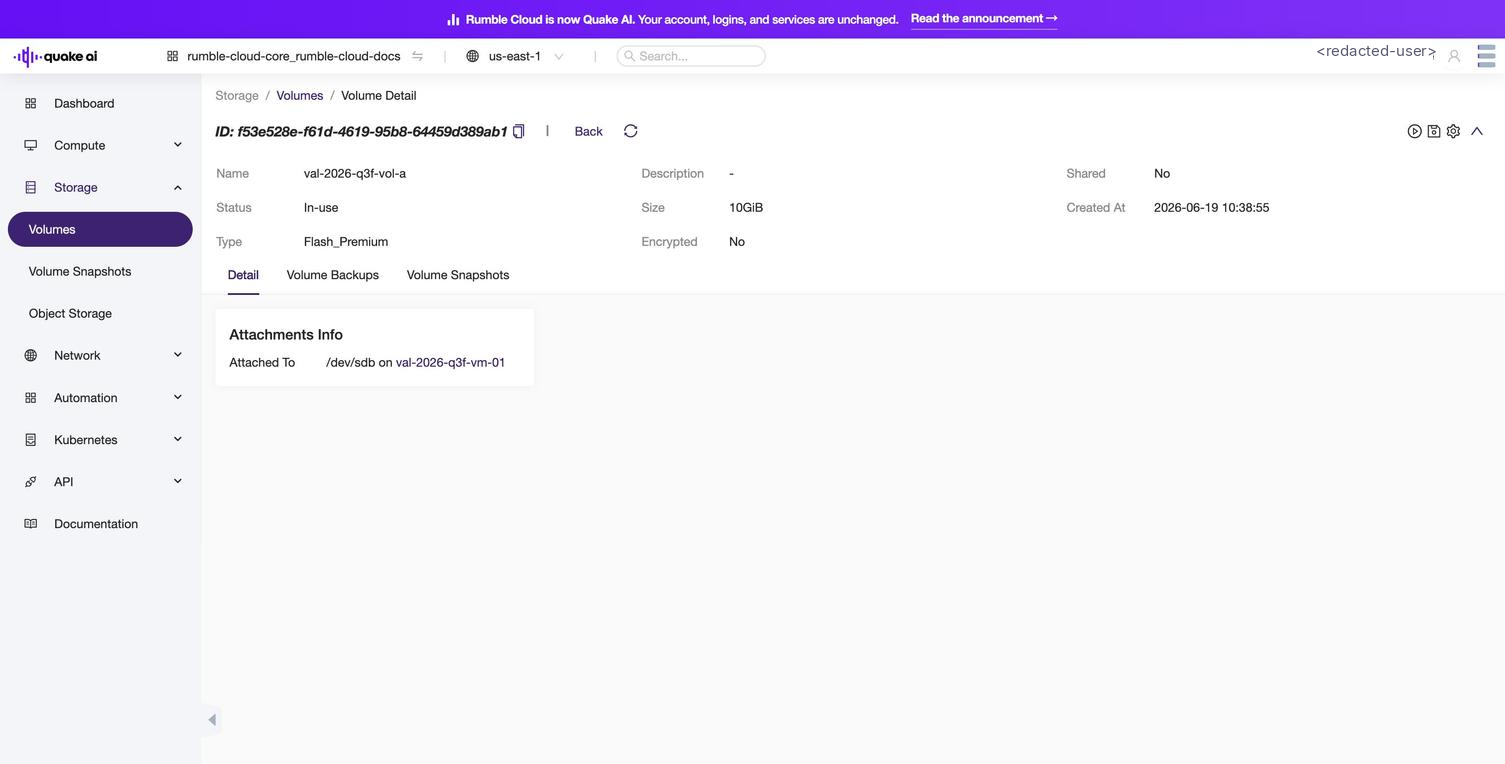
Select a volume to view volume details, including the Detail, Volume Backups, and Volume Snapshots tabs.
Click to zoom
Volume detail view with Detail, Volume Backups, and Volume Snapshots tabs
The Console displays the upstream Volume Backups tab, but Quake AI does not offer native Cinder backups. Use volume snapshots for point-in-time recovery or volume clones for independent copies.
Flash_Premium: NVMe SSD-backed storage for latency-sensitive workloads.
Volume types are platform-defined. The Console does not include a separate Volume Types view; the type appears in the Create Volume wizard selector. Type creation and deletion are administrator operations and are not available to tenant accounts. List the catalog from the CLI with openstack volume type list.
 Click to zoom
 Click to zoom
 Click to zoom