Manage cloud projects
Coming from another cloud?
▸AWS·Accounts
Accounts
- OpenStack Projects provide resource isolation (VMs, storage) within a single Keystone deployment; AWS Accounts are full billing/security boundaries requiring Organizations for multi-account management.
- Projects in OS are lightweight, created via Keystone API; AWS Accounts involve separate signup or Organizations API, with inherent billing isolation.
- Architecture: OS projects owned by domains; AWS accounts grouped in OUs under management account.
- No direct API equivalence; OS list_projects vs AWS ListAccounts in Organizations service.
▸Azure·Subscriptions
Azure Resource Groups
- Resource Groups store metadata in a specific region and support resources from multiple regions; OpenStack lacks formal grouping beyond projects, resources directly scoped to projects.
- Built-in features like ARM locks (Read-only/Delete), integrated tags for cost allocation, and deployment history views; OpenStack uses project quotas and locks via extensions, no native group-level deployments.
- Lifecycle management: Easy group delete/update via ARM templates; OpenStack deletes resources individually or via OpenTofu destroy/Heat stacks scoped to projects.
- Portal views aggregate metrics/deployments across group; OpenStack Horizon shows per-project.
▸DigitalOcean·Projects
Projects
- UI/organizational grouping of resources (Droplets, Spaces, etc.) into named projects with description/purpose/environment; default project exists.
- API for CRUD projects/resources; resources moved between projects.
- Purely organizational, no access control/billing isolation like OpenStack projects; resources still scoped by teams.
- Three resource types: project-based, droplet-based, independent.
▸Google Cloud·Projects
Projects
- GCP Projects have both human-readable Project ID (custom) and auto-generated numeric Project Number, used interchangeably in APIs unlike OpenStack projects which use single ID.
- Projects required to enable billing and host all service resources; no direct equivalent to OpenStack's billing per project without linking to Billing Account.
- Projects inherit IAM policies from Org/Folders; moving project changes inheritance, unlike flat OpenStack project isolation.
Manage cloud projects
New to Quake AI? The Get started sequence in the Quickstart walks creating your first project and picking a tier. This page is the reference for project management in the portal.
A project is your isolated cloud workspace. It contains the VMs, networks, storage, and other resources you provision, and it is billed on its own resource tier. You can have multiple projects within one organization, each in a different datacenter region if needed.
- Go to https://portal.rumble.cloud/web/login to sign in.
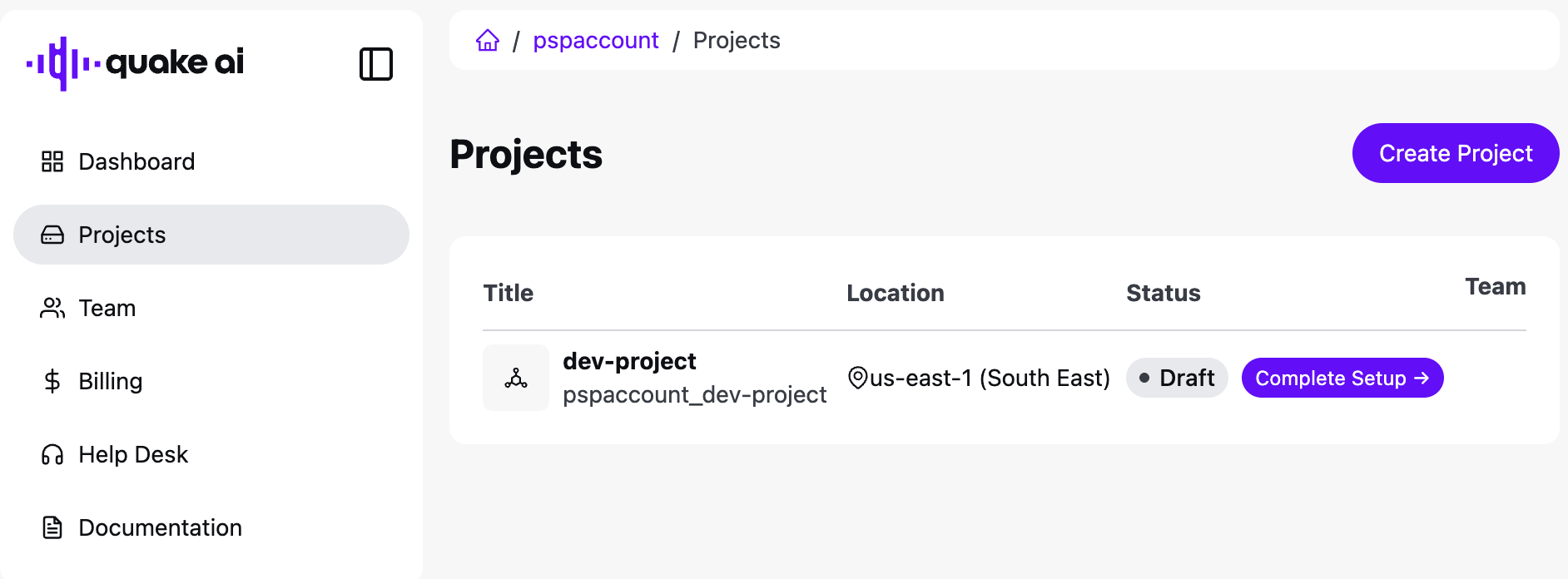
- Select Projects in the left nav, or create a project from Dashboard.
See the Account guide for organizations, billing, and portal tasks.
Resource tiers#
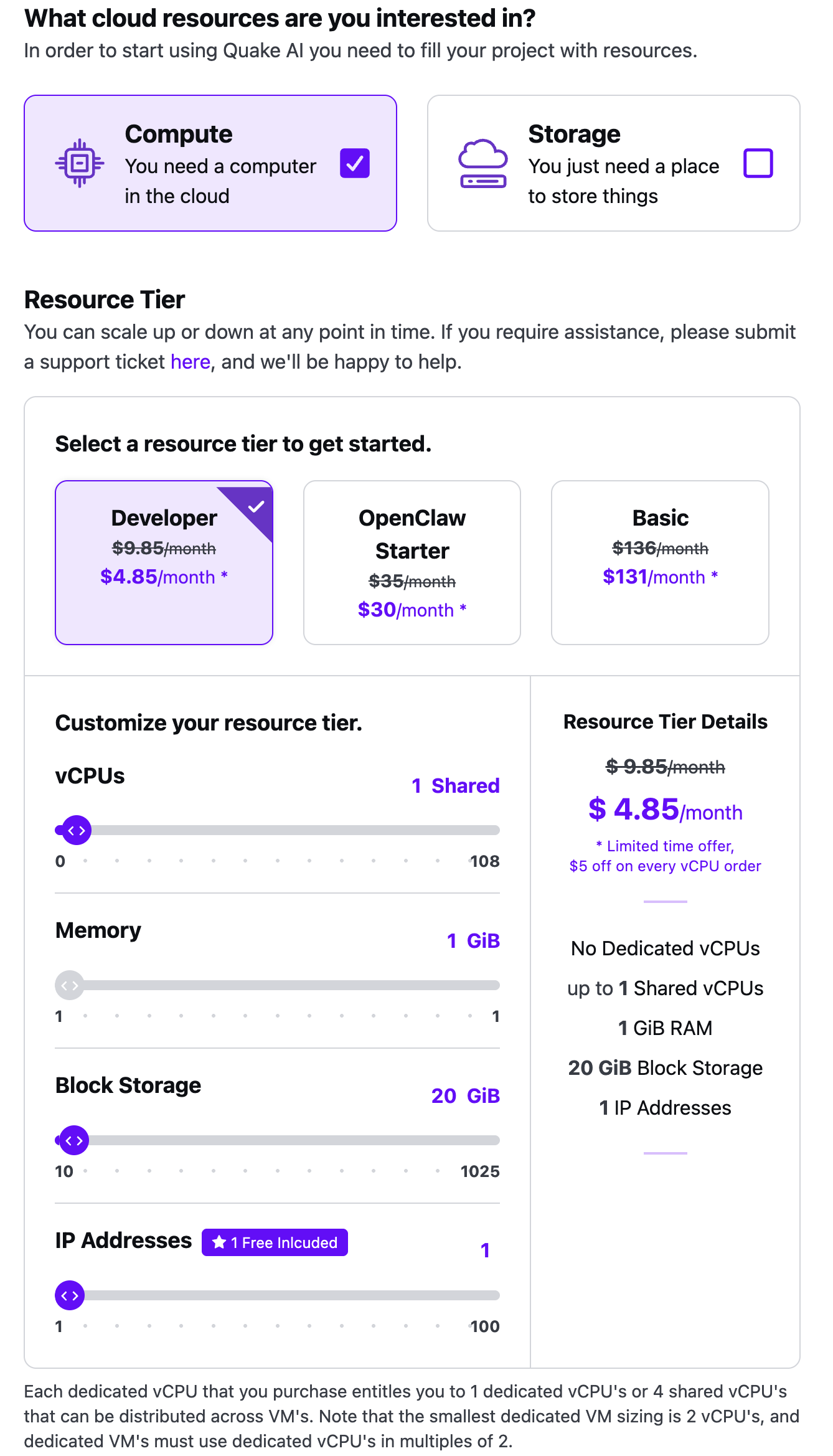
You select a resource tier when you create a project (Compute tile) or when you change an existing project's pack. Tiers bundle vCPUs, memory, and block storage into a monthly subscription. See Resource tiers for included capacity. Current prices render from the validated dataset on the pricing reference.
Create a project#
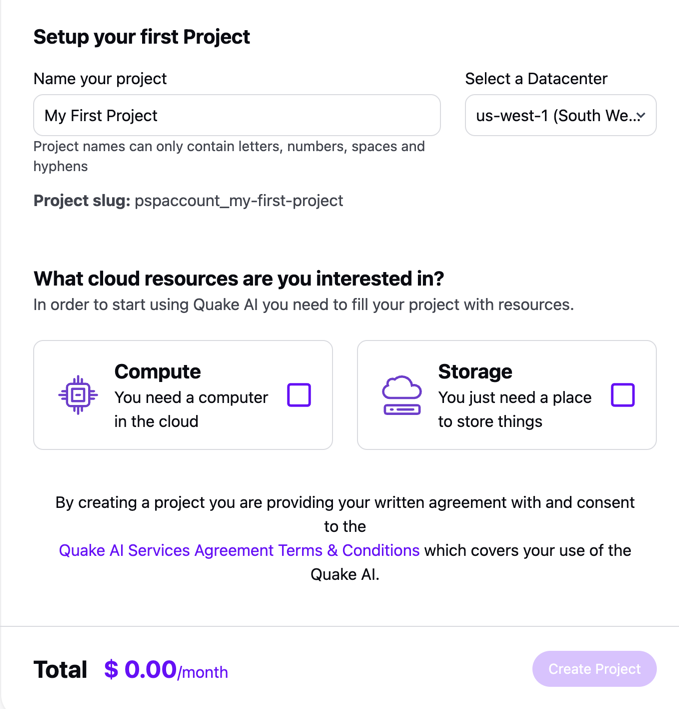
- Select Projects, then Create Project (or Create Project on the dashboard).
- Provide a project name. Names may contain letters, numbers, spaces, and hyphens. You cannot change the name after you create the project.
- Select the datacenter region closest to you or your users.
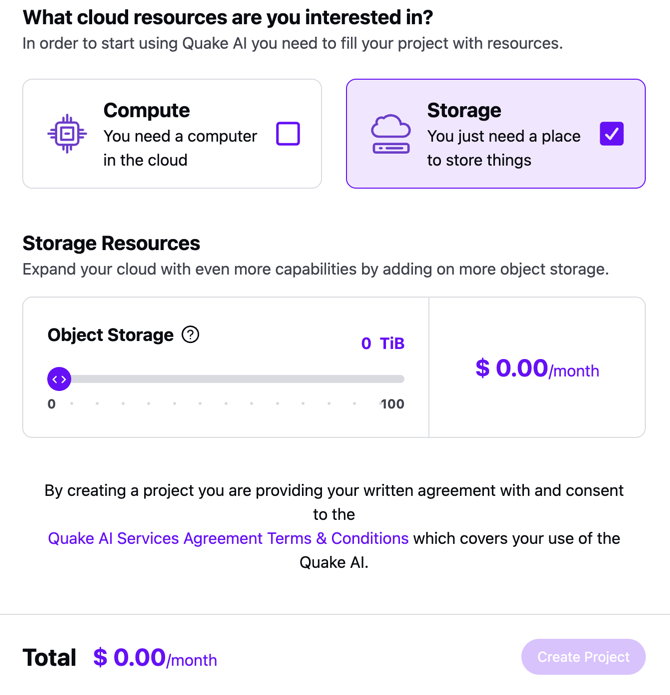
- Select Compute if you need instances, Storage if you need object storage, or both.
- If you selected Compute, pick Developer, OpenClaw Starter, or Basic, then adjust sliders the wizard allows.
- If you selected Storage, set the object storage amount with the slider.
- Review the monthly total and select Create Project.
 Click to zoom
 Click to zoom
 Click to zoom
 Click to zoom
Add payment methods and billing addresses on Billing. See Manage your subscription.
Manage a project#
- Select Projects.
- Select the project row to open its details.
Add team members to a project#
- Select Projects, then the project.
- Under Project Members, select Add Members.
- Assign a project role for the team member:
- Project Reader: read-only access to compute resources (VMs, networks, routers, and volumes)
- VM Admin: full read-write access to compute resources
- Object Storage Admin: full read-write access to object storage
- Project Admin: full read-write access to compute and object storage
Invite the person to the organization first. See Add members to your team.
Open my cloud project#
- Select Projects, then the project.
- Select Open Cloud Project.
- A new browser window opens the console for that project. You are signed in with your Rumble.com identity.
Upgrade or downgrade resource tiers#
- Select Projects, then the project.
- Select the resource tier you need.
- Optionally add vCPUs, memory, block storage, object storage, or public IPv4 addresses.
- Confirm the change from the project page.
Pause your resource tier#
You can keep your account active and pause the project's billed resources. Contact [email protected] if you need to delete the account.
- Select Projects, then the project.
- In Customize your resource tier, reduce vCPUs, memory, block storage, and object storage to 0.
- Confirm the change.
- Open Billing and Subscriptions to confirm the subscription no longer bills those resources.
Related reading#
Glossary: Projects.
Usage Guidelines
The sample code, software libraries, command line tools, proofs of concept, templates, and other related technology on this page (including any of the foregoing that is provided by Quake AI personnel) is provided to you as Quake AI Content under the Quake AI Customer Agreement, or the relevant written agreement between you and Quake AI (whichever applies). Do not use this Quake AI Content in your production accounts, or on production or other critical data. You are responsible for testing, securing, and optimizing the Quake AI Content (such as sample code) as appropriate for production grade use based on your specific quality control practices and standards. Deploying Quake AI Content may incur Quake AI charges for creating or using Quake AI chargeable resources, such as running Compute instances or storing data in Object Storage. Your use is also subject to the Acceptable Use Policy.
For the full policy, see Usage Guidelines.
Last validated: 16.09.2026