Resource Tiers
Coming from another cloud?
▸AWS·Instance Types
Instance Types
- Fixed predefined configurations only; no custom flavor creation.
- Extensive families for GPU/HPC/ARM etc.
- InstanceType as string param in API, not ID reference.
- Tied to specific hardware generations (Nitro/Xen).
▸Azure·VM sizes
VM sizes
- Predefined hardware-optimized series (e.g., D-family general purpose) with complex naming (e.g., Standard_D4as_v5), not user-defined vCPU/RAM like OpenStack flavors.
- Sizes listed via API /providers/Microsoft.Compute/locations/{location}/vmSizes, region-specific availability.
- Includes accelerator features (GPU, FPGA) baked into sizes, unavailable in basic OpenStack flavors without extensions.
- Cannot create custom sizes; selection from catalog, limiting flexibility vs OpenStack flavor creation.
▸DigitalOcean·Droplet sizes (plans)
Droplet sizes (plans)
- A Droplet must select a predefined “size” bundle (RAM/vCPU/disk/transfer) rather than choosing from an OpenStack flavor catalog that many clouds let you customize/extend at the project level.
- The size object exposes explicit monthly pricing (price_monthly) and per-hour pricing (price_hourly) in the API response, whereas OpenStack clouds typically separate pricing from the Nova flavor definition.
- DigitalOcean sizes embed transfer allowance and region availability directly in the size metadata, while OpenStack flavors generally describe compute resources and rely on separate networking/quotas/policies for bandwidth and availability.
- DigitalOcean size classes are described in the API as categories like Basic, General Purpose, CPU-Optimized, Memory-Optimized, and Storage-Optimized rather than OpenStack’s provider-defined flavor naming/extra-specs approach.
▸Google Cloud·Machine types
Machine types
- Organized by families/series (e.g. N2 general-purpose); OpenStack flavors flat list.
- Custom types +5% premium for N/E series; no such billing in OpenStack.
- Naming 'n2-standard-4'; shared-core bursting types absent in OpenStack.
▸Hetzner·Server Types
Server Types
- Fixed predefined types (e.g. CX11, CPX31) with shared_vcpu (noisy neighbors) vs dedicated_vcpu.
- GET /v1/server_types lists all; no custom flavor creation like OpenStack.
- Includes pricing (hourly/monthly net/gross), included_traffic, architecture (x86/amd64/arm).
- Resize via change_type action, but limited to compatible types.
Resource tiers
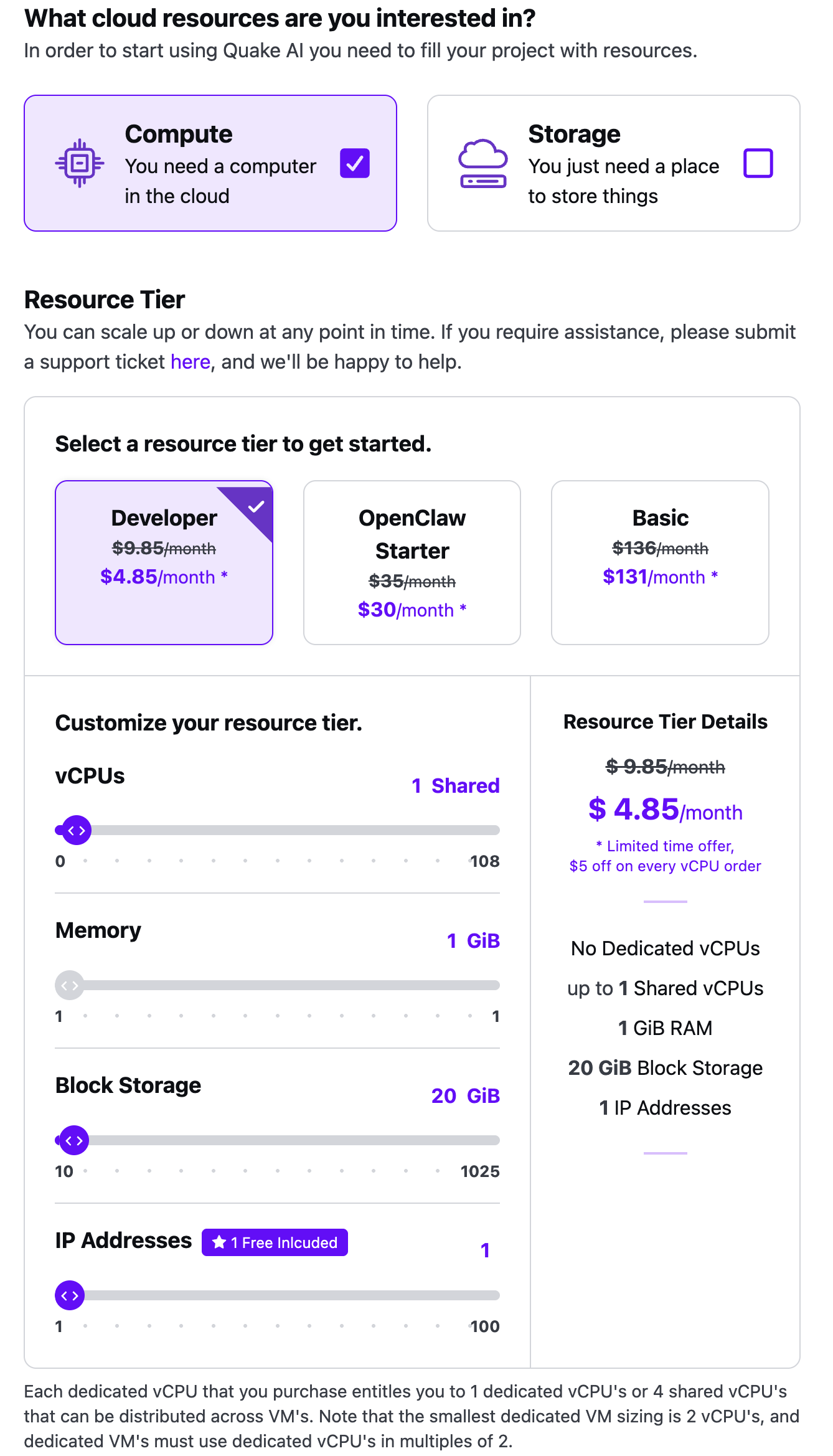
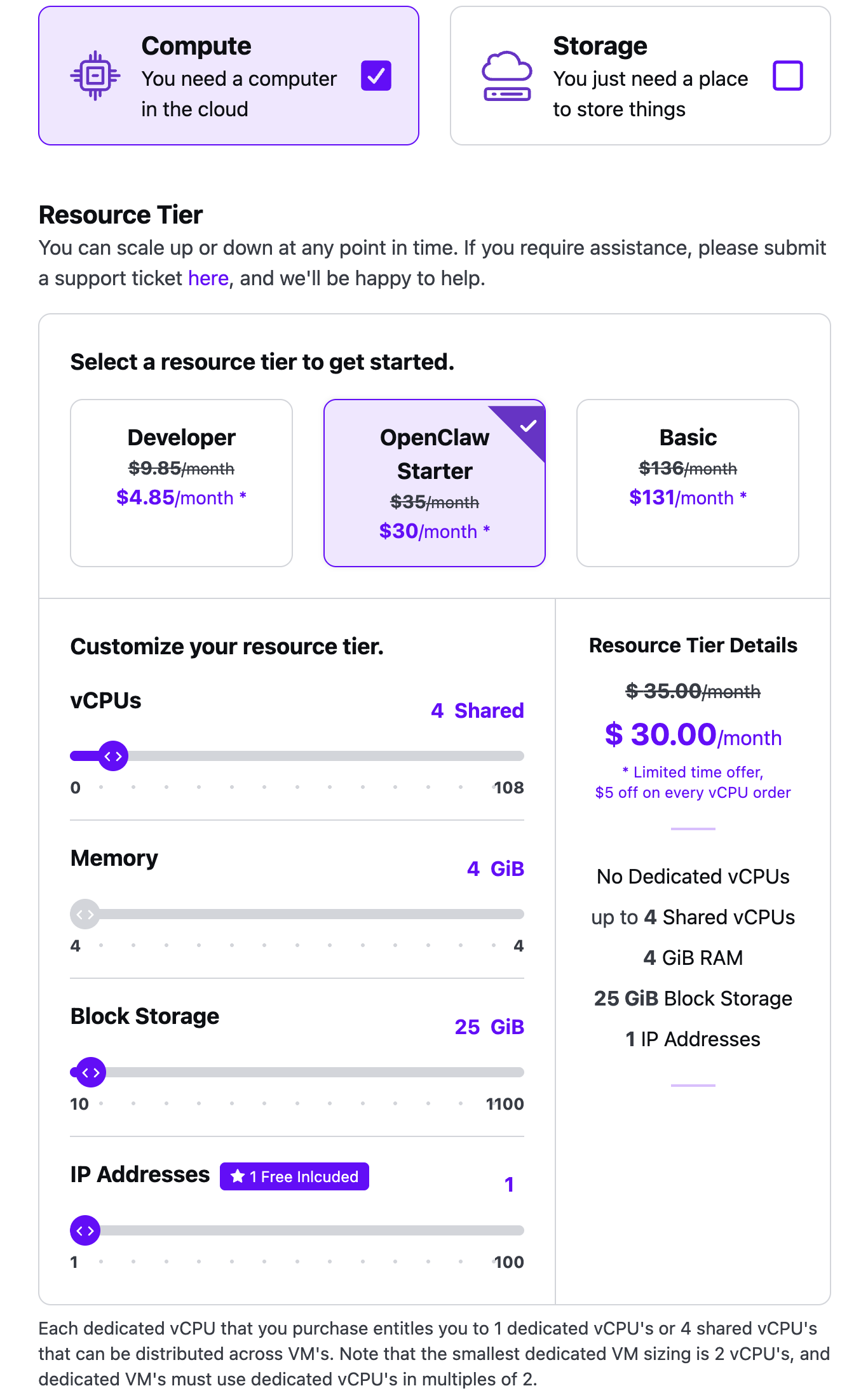
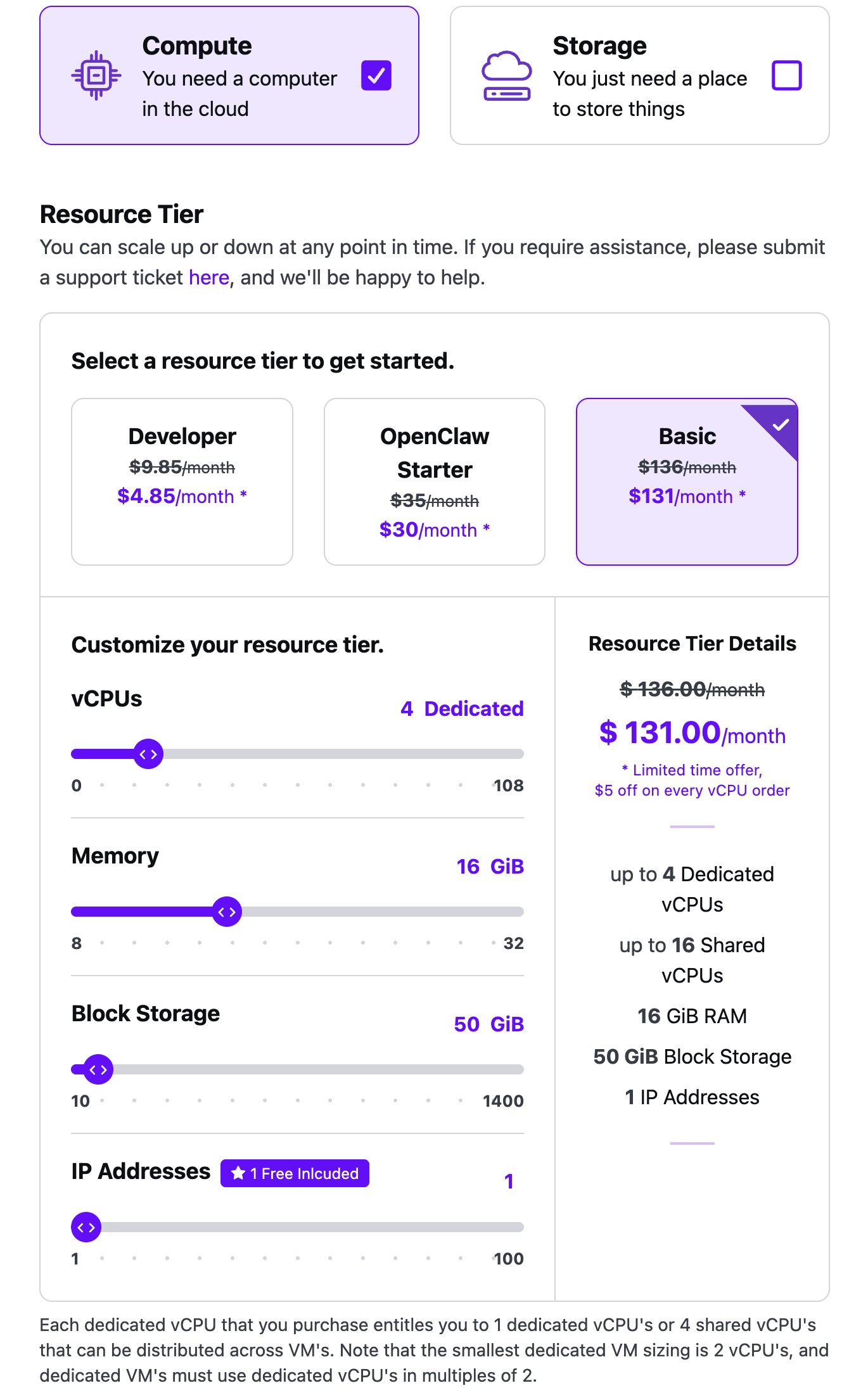
Resource tiers are billing packs that set how much compute, memory, and block storage a project subscription includes.
- You select a tier when you create a project (Compute tile in the portal wizard).
- Tiers bill monthly.
- You can upgrade, downgrade, or pause a tier later.
| Resource tier | vCPUs | RAM | Block storage | Public IP |
|---|---|---|---|---|
| Developer | 1 shared | 1 GiB | 20 GiB | 1 included |
| OpenClaw Starter | 4 shared | 4 GiB | 25 GiB | 1 included |
| Basic | 4 dedicated | 16 GiB | 50 GiB | 1 included |
Object storage is an add-on you set with the Storage tile or later on the project. Extra public IPs beyond the included address are also add-ons.
All tiers include:
- AMD EPYC processors (shared or dedicated, depending on the pack)
- NVMe block storage
- Subnets, routers, and security groups
- Outbound data transfer
- About 0.5 Gbps outbound per 2 vCPUs
Current prices and the custom-package calculator live on the pricing reference and the Quake AI pricing page slider.
 Click to zoom
 Click to zoom
 Click to zoom
Dedicated and shared vCPUs#
Every resource tier runs on AMD EPYC processors. You choose dedicated or shared vCPUs based on how much guaranteed performance you need.
Dedicated vCPUs give you exclusive access to those vCPUs. Quake AI sells dedicated vCPUs in units of two, so the smallest dedicated VM is 2 vCPUs. Each dedicated vCPU you purchase can be used as 1 dedicated vCPU or as 4 shared vCPUs across VMs.
Shared vCPUs cost less and suit development, prototyping, and smaller projects. Developer and OpenClaw Starter start on shared vCPUs. Basic starts on dedicated vCPUs and can also host shared vCPUs (up to 16 shared on the default Basic pack).
After you choose your tier and launch the project, you launch dedicated or shared instances from the Console.
Customizable tiers#
You can add and remove vCPUs, memory, block storage, object storage, and additional public IPv4 addresses on a project, within the slider ranges the portal shows for that pack.
Developer plan details#
The Developer plan is the entry-level tier for trying the platform, prototyping, and lightweight workloads.
| Resource | Included |
|---|---|
| vCPUs | 1 shared |
| RAM | 1 GiB |
| Block storage | 20 GiB NVMe |
| Object storage | Add-on |
| Network | Up to 0.5 Gbps |
| Public IP | 1 |
For current prices, the full plan comparison, and the pricing calculator, see the pricing reference.
When to upgrade from Developer#
Move to OpenClaw Starter when you need more shared vCPUs and RAM (4 shared vCPUs, 4 GiB) on the same shared-CPU model.
Move to Basic when you need dedicated vCPUs, 16 GiB RAM, and 50 GiB included block storage.
For a custom mix, use the pricing calculator slider.
Moving an existing VM to a dedicated-vCPU flavor does not require you to rebuild it: see How to resize a Quake AI VM to a dedicated-CPU plan.
Tutorials sized for Developer Plan#
Tutorials in the Quickstart include Developer Plan callouts that note swap requirements, memory limits, and alternative paths if you outgrow the tier. Look for the "Developer Plan" callout in: