SSH keys are managed at the account/team level via /v2/account/keys and then referenced by ID/fingerprint when creating Droplets, whereas OpenStack Nova keypairs are typically created per project/tenant and managed via the Nova API.
DigitalOcean explicitly notes that including a key during Droplet creation embeds it into the root user’s authorized_keys, whereas OpenStack’s keypair injection mechanism is generally cloud-init/metadata-service driven and may vary by image/cloud config.
DigitalOcean tokens/scopes model for API authorization (bearer tokens with scopes like ssh_key:read) differs from OpenStack Keystone’s token + role-based policy model.
DigitalOcean documentation emphasizes that post-creation SSH key changes are performed inside the guest OS (not via control panel), whereas OpenStack users may rely more heavily on metadata/cloud-init or config management patterns post-boot.
The Key Pair service enhances the security of virtual machine instances by providing a mechanism for secure, passwordless authentication using SSH keys. It is an essential feature for users who need to access their instances remotely and securely.
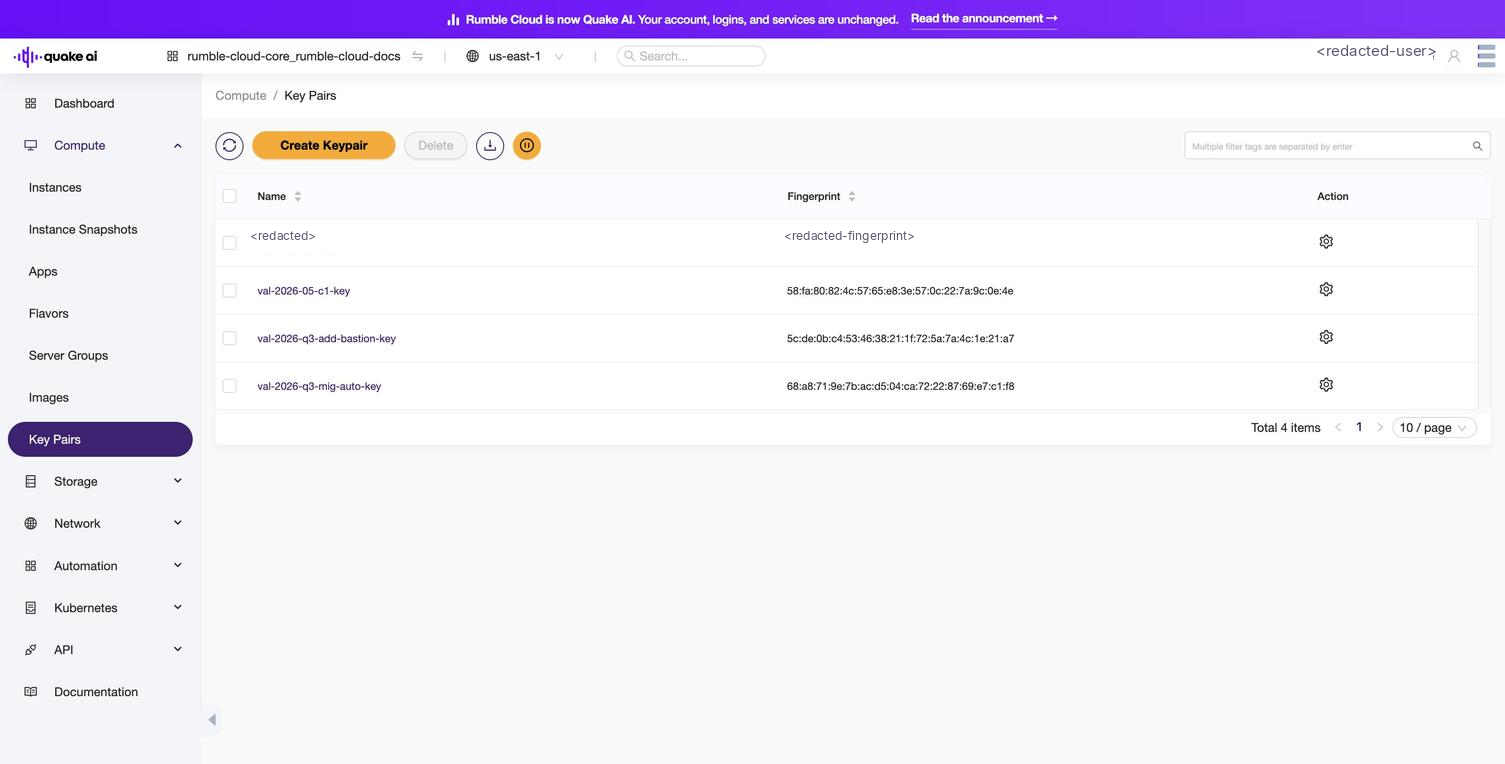
Select Compute > Key Pairs to view the key pairs console.
The console lists all key pairs in your project and lets you view, edit, and delete key pairs. You can select key pairs from the console to view details and copy the public key.
Click to zoom
Key Pairs console showing project key pairs with name and fingerprint
Select Create Keypair to generate or upload a new key pair.
Here's a table summarizing the properties and attributes that you should understand to work with key pairs in the Compute service:
Property/Attribute
Description
Name
A unique name identifying the key pair, used for reference and management.
Fingerprint
A hash value that uniquely identifies the public key, used for verifying the key pair's integrity.
Public Key
The public key component of the key pair, used for encrypting data and authenticating the user.
Private Key
The private key component of the key pair, used for decrypting data. This is only available when the key pair is created and should be stored securely on your machine.
User ID
The ID of the user who owns the key pair, linking the key pair to a specific user account.
Type
The type of key pair, typically ssh for SSH key pairs used for accessing instances.
Understanding these properties and attributes helps you manage key pairs, ensuring secure access to instances and proper authentication for cloud operations.
 Click to zoom