Region-scoped: a VPC network is created in a specific datacenter region and resources must be in that same region to be attached, whereas OpenStack Neutron networks/subnets are generally available across all AZs in a region and attachments are controlled by network reachability rather than an explicit region slug ().
Resource migration is limited: Droplets require snapshot/recreate to move between VPCs and some resources (Kubernetes clusters, load balancers, NAT gateways) cannot be migrated between VPCs, whereas in OpenStack you typically can attach/detach ports or move router interfaces without recreating servers (behavior depends on deployment, but Neutron’s object model supports it) ().
NAT is a managed NAT Gateway with tiered capacity (1–16 increments; each increment gives 25 Mbps symmetrical bandwidth and 100 GiB outbound transfer/month) and can be set as the default gateway for the VPC, whereas OpenStack commonly expresses egress via Neutron routers with SNAT and does not use this specific ‘size tier’ model ().
Security-policy coupling differs: DigitalOcean notes Cloud Firewall rules affect both public and VPC traffic and rules must specify whether they apply to the public or private IP range, whereas in OpenStack security groups are generally applied to ports and are not framed as “public vs private IP range” rule modes ().
Use routers to connect different networks within a cloud environment and to provide external connectivity to instances (virtual machines).
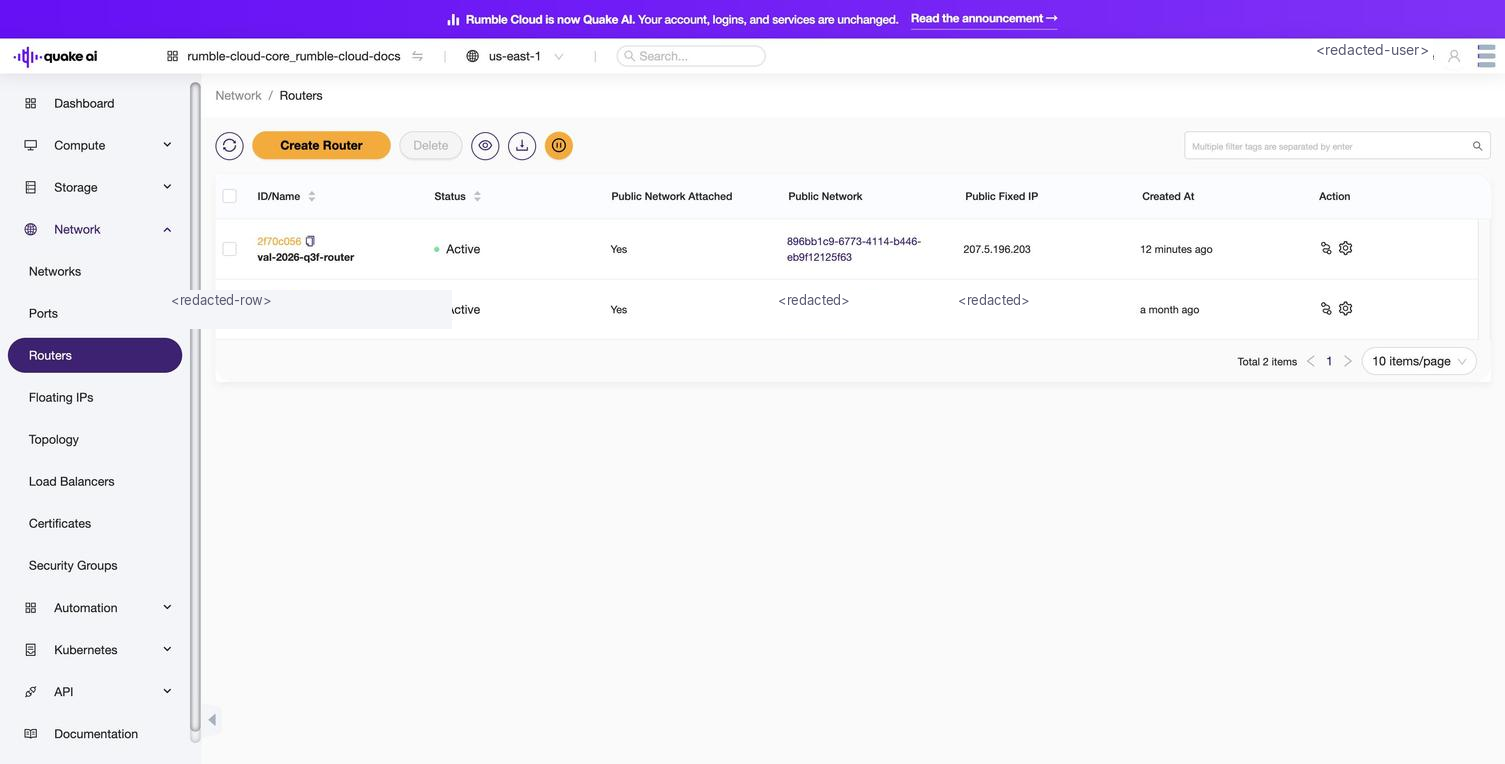
Select Network > Routers to display the Routers console.
The console lists all routers in the project with their name, status, external gateway, and admin state.
Click to zoom
Routers list showing project routers with name, status, and external gateway
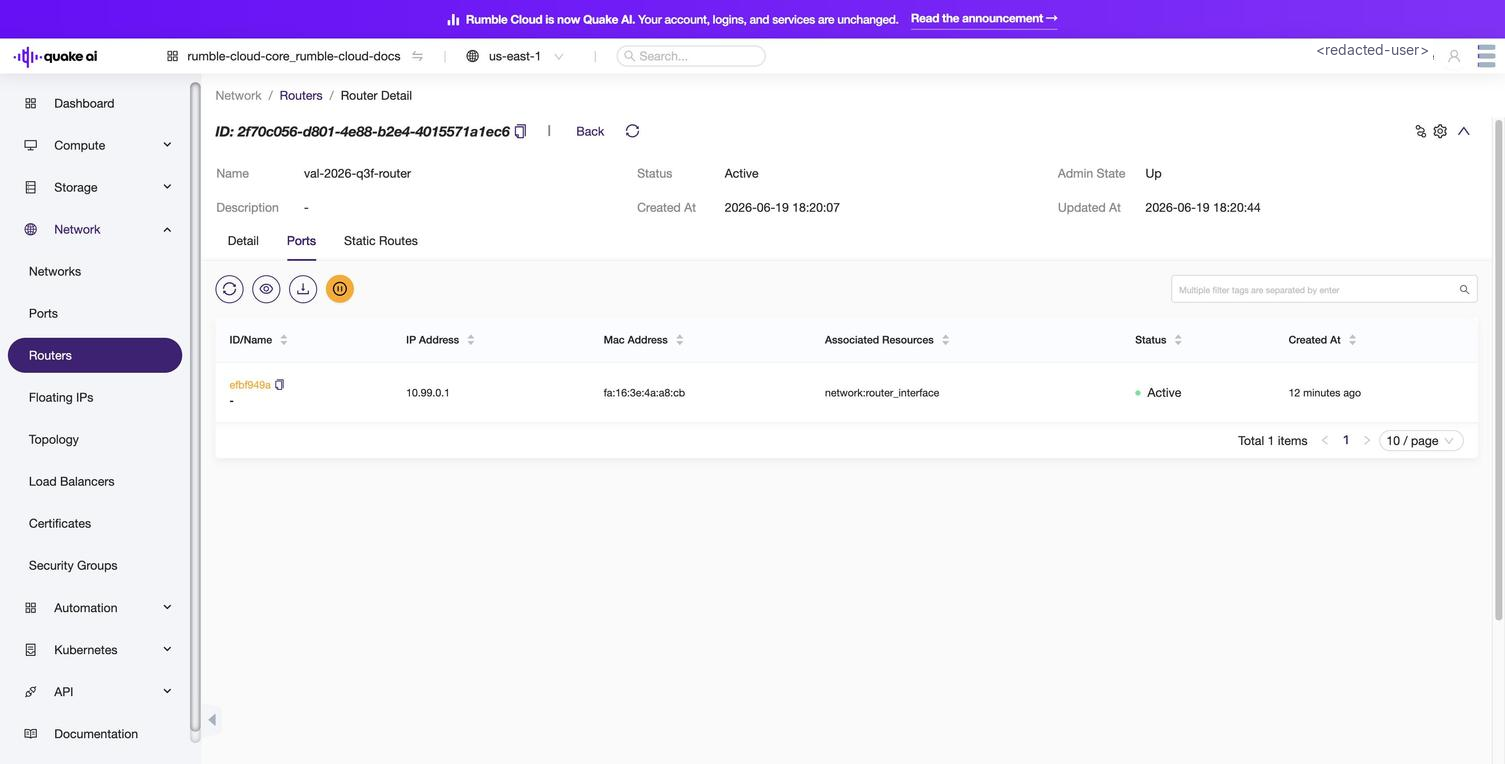
Select a router to view router details, view and manage network interfaces associated with the router, and view and manage static routes associated with the router.
Click to zoom
Router detail showing external gateway, interfaces, and connected subnets
You can take the following actions:
Edit
Connect subnet
Disconnect subnet
Open external gateway
Delete
To connect a router to a private network, ensure it first has an available subnet to which to attach the router.
 Click to zoom
 Click to zoom