Skip to content

Ports Console

Reference · Updated Sep 2026

Coming from another cloud?

▸AWS·Amazon Virtual Private Cloud

Amazon Virtual Private Cloudhigh

  • AWS VPC is regional with CIDR /16-/28.
  • OpenStack Networks project-scoped L2 with flexible CIDR.
  • AWS requires IGW for public.
  • OpenStack provider nets or floating IPs.
AWS docs ↗
▸Azure·Virtual Network (VNet)

Virtual Network (VNet)high

  • Azure VNets are strictly regional Layer 3 overlays scoped to one subscription with no L2 VLAN support ().
  • VNets and subnets creation free, but subnets min /29 with Azure reserving 5 IPs per subnet ().
  • Managed via ARM REST APIs/PowerShell/CLI vs Neutron REST API.
  • Isolated per subscription; peering for cross-VNet connectivity vs OpenStack project networks connected via routers.
Azure docs ↗
▸DigitalOcean·VPC (VPC Network)

VPC (VPC Network)high

  • Region-scoped: a VPC network is created in a specific datacenter region and resources must be in that same region to be attached, whereas OpenStack Neutron networks/subnets are generally available across all AZs in a region and attachments are controlled by network reachability rather than an explicit region slug ().
  • Resource migration is limited: Droplets require snapshot/recreate to move between VPCs and some resources (Kubernetes clusters, load balancers, NAT gateways) cannot be migrated between VPCs, whereas in OpenStack you typically can attach/detach ports or move router interfaces without recreating servers (behavior depends on deployment, but Neutron’s object model supports it) ().
  • NAT is a managed NAT Gateway with tiered capacity (1–16 increments; each increment gives 25 Mbps symmetrical bandwidth and 100 GiB outbound transfer/month) and can be set as the default gateway for the VPC, whereas OpenStack commonly expresses egress via Neutron routers with SNAT and does not use this specific ‘size tier’ model ().
  • Security-policy coupling differs: DigitalOcean notes Cloud Firewall rules affect both public and VPC traffic and rules must specify whether they apply to the public or private IP range, whereas in OpenStack security groups are generally applied to ports and are not framed as “public vs private IP range” rule modes ().
DigitalOcean docs ↗
▸Google Cloud·VPC Network

VPC Networkhigh

  • GCP VPC is global (spans all regions) whereas OpenStack Neutron networks are project-scoped and region-local.
  • GCP uses shared VPC for cross-project networking (requires org-level config); OpenStack uses shared networks via admin.
  • Subnets in GCP are regional, auto-mode creates one per region automatically; OpenStack requires explicit subnet creation.
  • GCP VPC Flow Logs per-subnet; OpenStack has no native equivalent without external tools.
Google Cloud docs ↗
▸Hetzner·Networks

Networkshigh

  • Private networks (vSwitch-like but called Networks) created via API, up to 10.0.0.0/8 subnets, attach to servers/LBs.
  • CCM supports route controller for pod networking when enabled; no native provider networks like OpenStack.
  • Limited to Hetzner regions, IPv4 only for private (IPv6 public).
  • Networks are free with no usage charges, unlike potential metering in OpenStack clouds ().
Hetzner docs ↗

Ports console

Overview#

Ports are a fundamental component of networking in the Network service, providing the necessary connectivity and configuration for instances and other network resources to communicate within the cloud and with external networks.

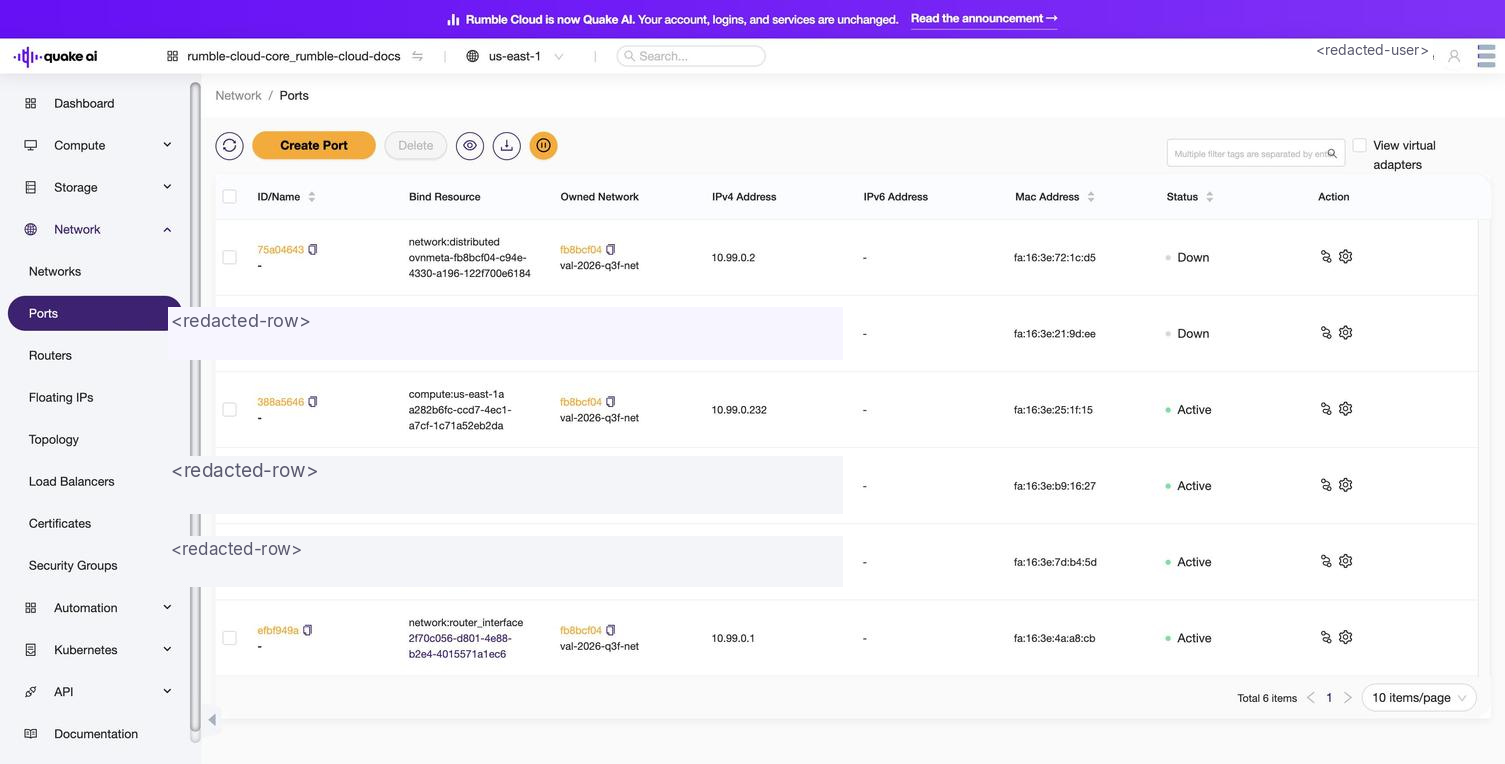
Select Network > Ports to show the ports console. The console displays a list of ports in the project.

Ports console listing ports with columns ID/Name, Bind Resource, Owned Network, Ipv4 Address, Ipv6 Address, Mac Address, Status, and ActionClick to zoom
Ports console showing port IDs, bound resources, networks, and MAC addresses
List view columns#

ColumnDescription
ID/NamePort identifier and optional name
Bind ResourceInstance or resource the port is bound to
Owned NetworkNetwork the port belongs to
Ipv4 AddressIPv4 address assigned to the port
Ipv6 AddressIPv6 address assigned to the port
Mac AddressMAC address of the port
StatusOperational status of the port
ActionPer-port actions: edit, delete, associate a floating IP, or modify the QoS policy

When you create virtual machine instances, the Network service creates the ports and virtual adapters necessary to connect the instance to a network.

You can create virtual adapters from the Ports console.

Select a port from the console to display port details.

You can take the following actions:

  • Edit the port (name, description, MAC address)
  • Delete
  • Associate floating IP addresses
  • Modify QoS policy

Ports#

Ports CLI reference#

Ports API reference#

Was this page helpful?