Naming/API surface: DigitalOcean renamed Floating IPs to Reserved IPs; endpoints and fields change from `floating_ips` to `reserved_ips` (while legacy endpoints existed until a stated deprecation window), whereas OpenStack retains the “floatingip” resource in Neutron APIs ().
Identity model: DigitalOcean’s resource identifier in the API path is the IP address itself (`/v2/reserved_ips/{reserved_ip}` where `{reserved_ip}` is an IPv4 address), whereas OpenStack commonly uses UUID identifiers for Neutron resources like floating IPs and ports ().
Attachment model: creation requires either `droplet_id` or `region` and reassignment is conceptually “map to a Droplet”; OpenStack associates floating IPs to Neutron ports (and thus can be used with more complex networking constructs like routers), which is a different mental model for migrating users ().
Region binding: DigitalOcean Reserved IPs are explicitly bound to a region, while OpenStack floating IP pools are usually defined per external network and can be consumed wherever that external network is reachable (implementation-specific) ().
GCP static IPs are regional or global resources, with unassociated IPs metered per-hour; OpenStack floating IPs are pool-based. See the GCP pricing page for current rates.
GCP supports both ephemeral (auto-released on stop) and static IPs; OpenStack floating IPs are always explicit.
GCP global static IPs used with global load balancers only; no direct OpenStack equivalent.
Floating IPs (FIP) are a critical feature for enabling external access to instances in your cloud projects. They provide the flexibility to expose services to the outside world while maintaining the isolation and security of the private network.
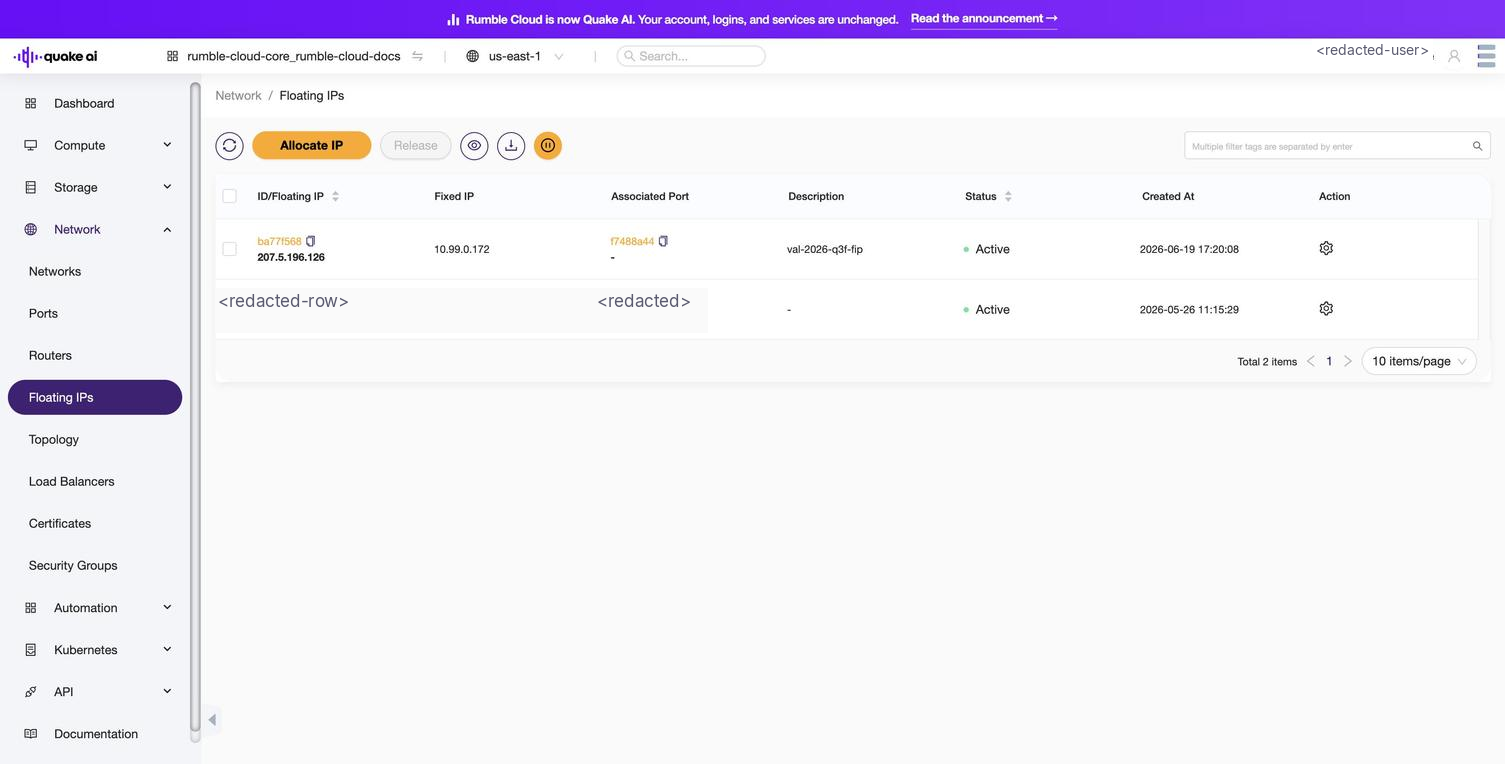
Select Network > Floating IPs to display the Floating IPs console.
Use floating IPs to enable access to virtual machines within your network.
The console lists all floating IPs related to their mapped fixed IP addresses. You can take the following actions.
Associate and remove floating IP addresses to and from instances
Allocate and release floating IP addresses between the address pool and your project
Click to zoom
Floating IPs list showing an allocated IP associated with an instance
Floating IP pools are collections of addresses available for assignment to instances within a project. Pools are associated with an external network connected to the internet. You allocate addresses from a pool to your project, then associate them with instances to make those instances reachable from outside the private network.
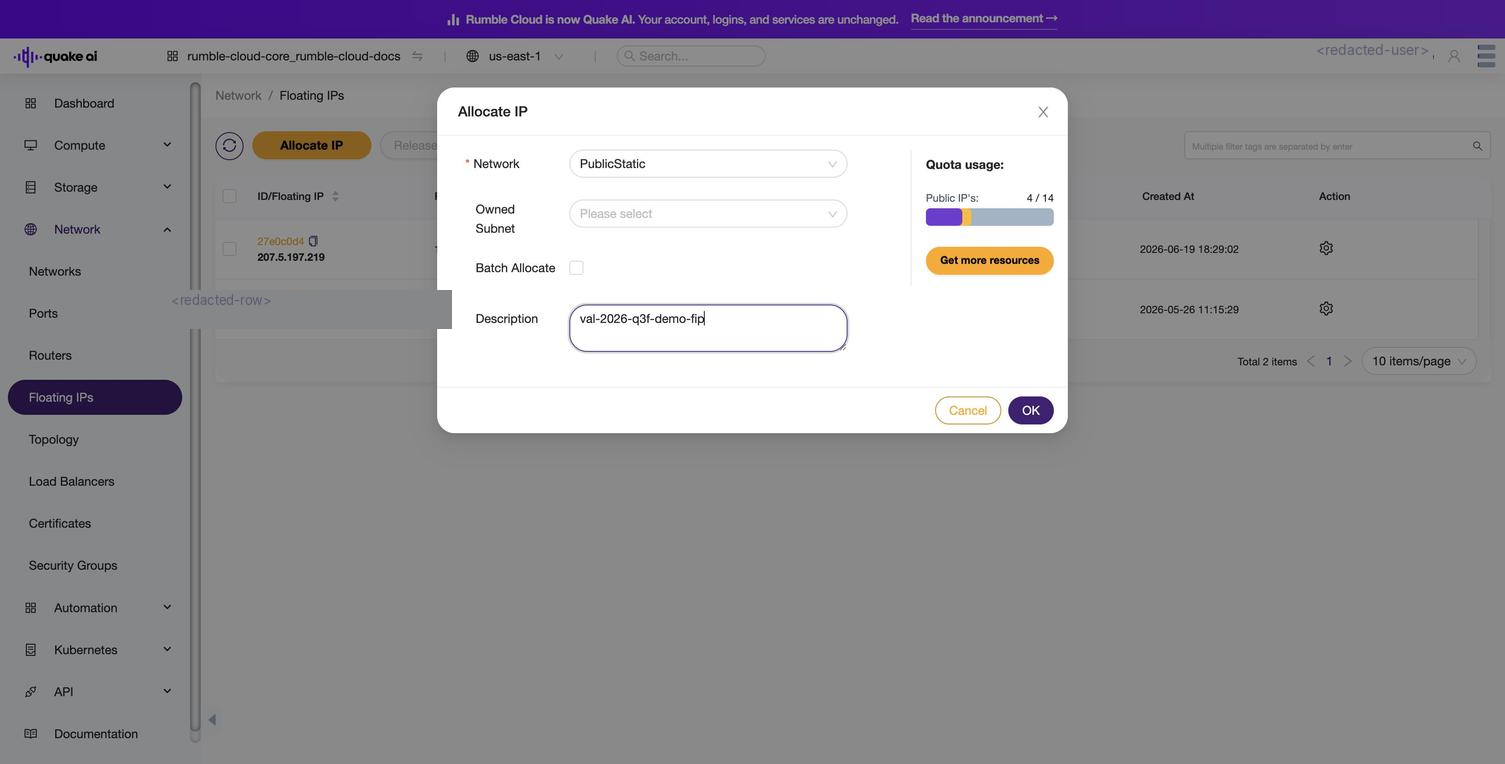
To allocate a new floating IP, select Allocate IP. The dialog title is also Allocate IP and shows these fields:
Network: dropdown of the external network pools available to your project.
Batch Allocate: check this option to allocate multiple IPs in a single operation.
Description: optional text to identify the IP's purpose.
Quota display: shows your current Public IP usage (for example, Quota usage: Public IP's: 2 / 4) with a Get more resources button when you are at the limit.
Click to zoom
Allocate IP dialog with the Network, Batch Allocate, Description, and quota display fields
 Click to zoom
 Click to zoom